
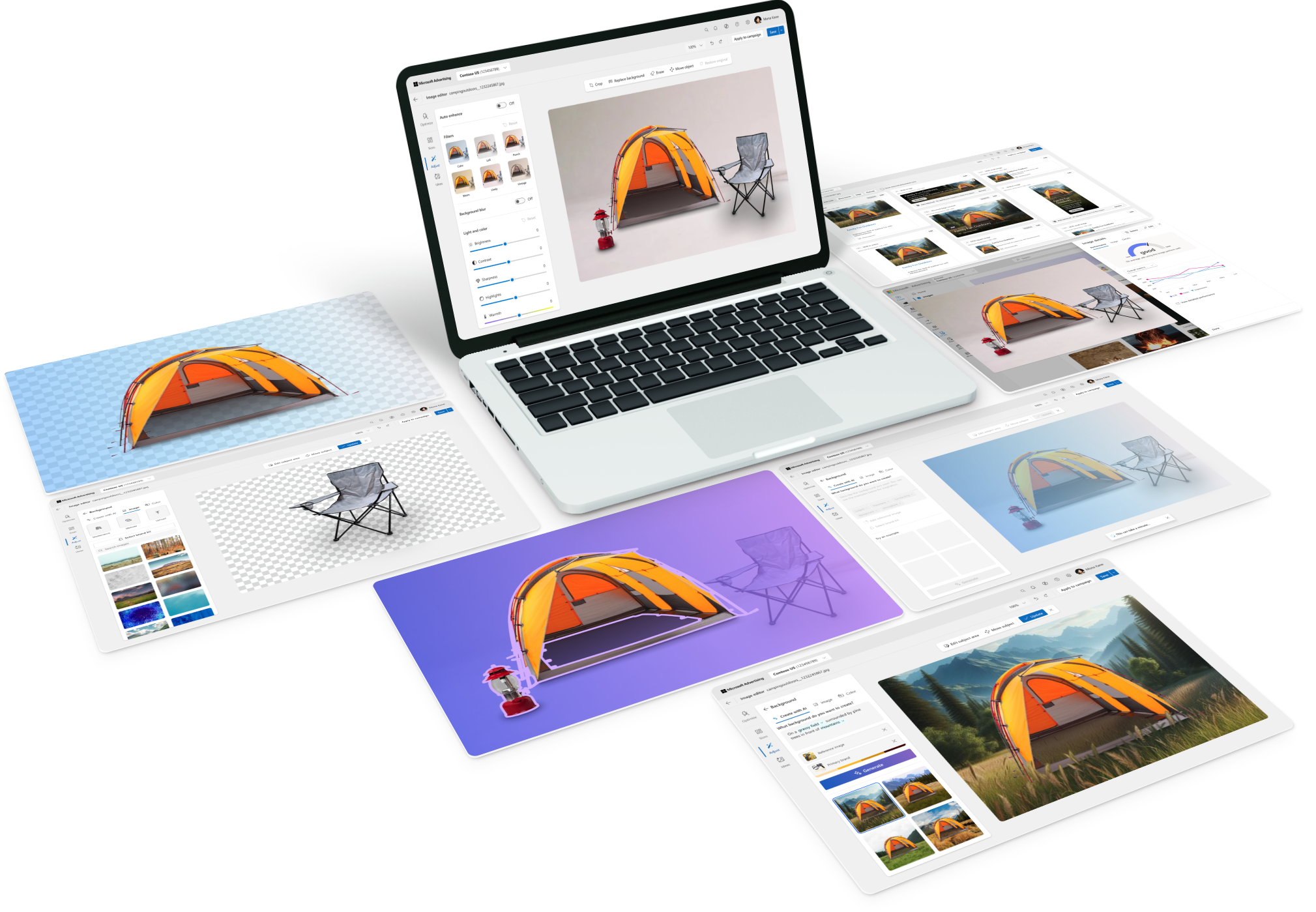
Problem
Advertisers rely on tools like Canva to prep their images and video assets, then upload them into Microsoft Advertising. Editing in our platform was fragmented in both function and design patterns, making it difficult to add any new feature to make our tools more useful. With the release of Ads Studio, I redesigned editing experiences overall to provide users with meaningful creative tools to get their assets campaign-ready, while creating a new scalable system to use across surfaces.
Role & Team
Design lead — 3 designers, PM, content, engineering
Focus areas
Horizontal Patterns, Visual Design, Design System, UXR, Architecture, UI/UX, Design Strategy, X-F Collaboration
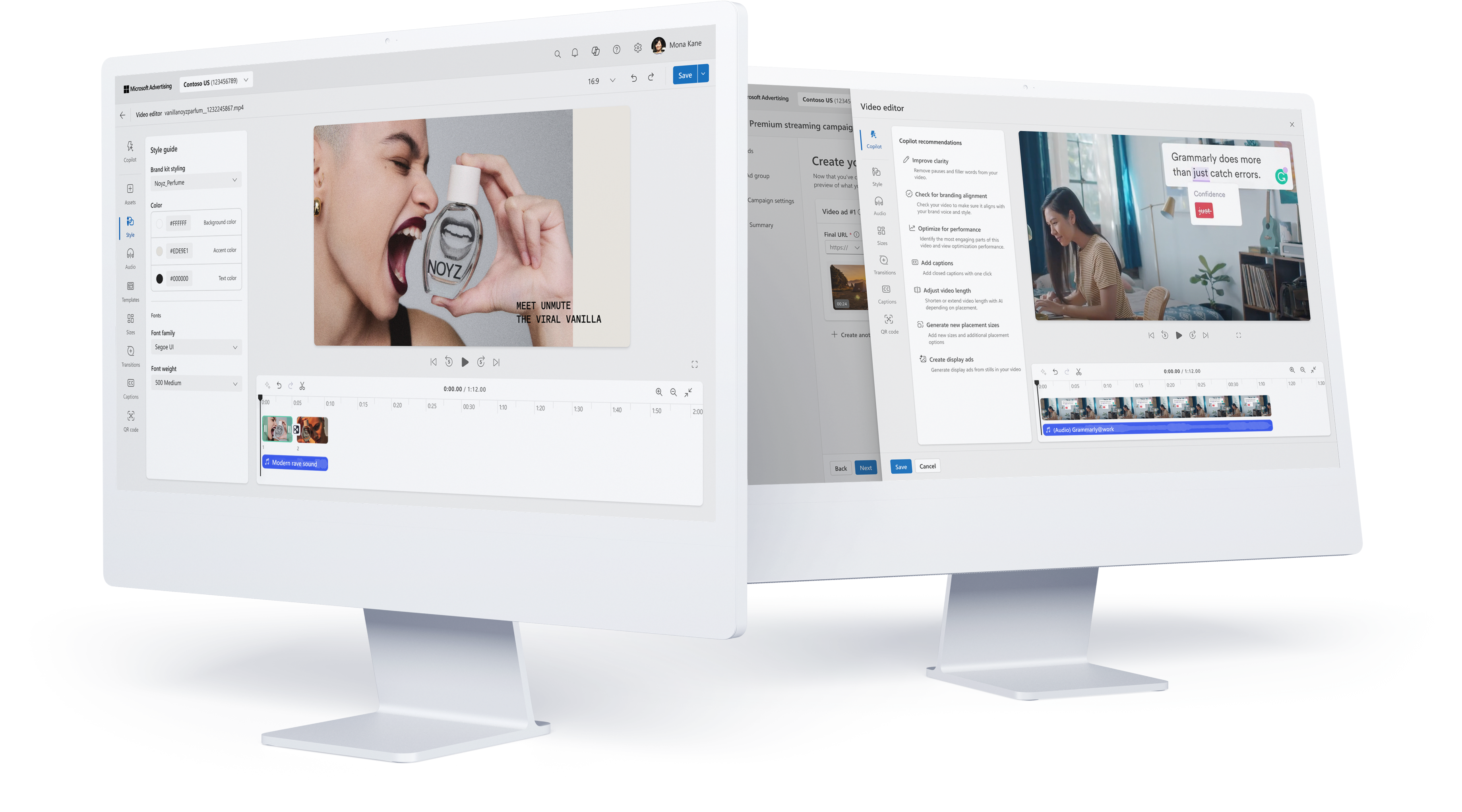
01Problem
Microsoft’s approach with Ads Studio is to deliver the tools that small to mid-sized businesses need, who often lack in-house creative expertise or simply time, to prep high-quality assets for their ad campaigns. Tools like Canva are easy to use and rich in features but don’t have the context of their ad performance—meanwhile, Ads Studio has huge potential to be the new creative hub for advertising, but editing inside the product wasn’t strong enough to support that vision.
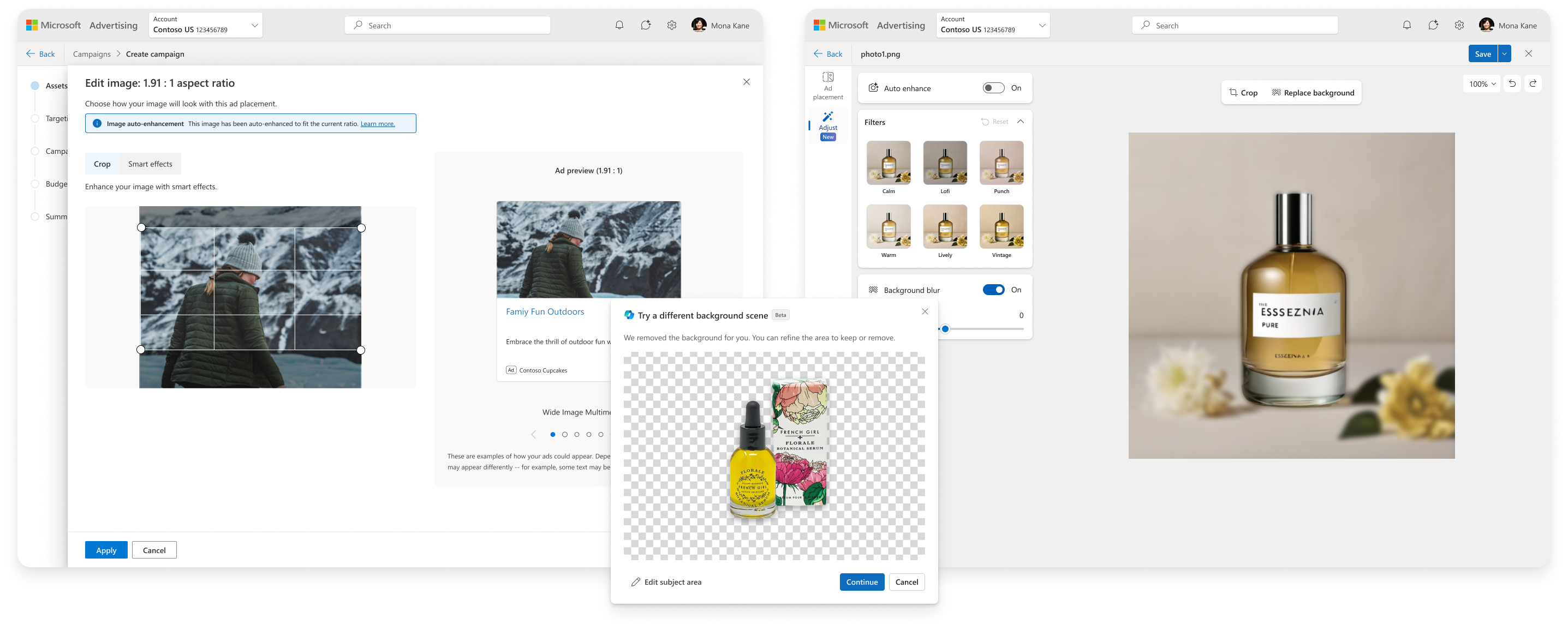
editing from the campaign vs. ads studio
Microsoft had strong AI models but no cohesive UX to deliver them. At the same time, our competitors were accelerating—Google, Meta, Amazon, and TikTok had creative tools that were much more refined. Leaders in my org wanted to invest in AI-powered creative tools, so I stepped in to define the design strategy.
blocking product vision
Ads Studio was evolving from an asset library into a full creative system powered by AI.
fragmentation
Capabilities differed when editing assets in Ads Studio vs. while creating a campaign.
lacking features
Advertisers needed more than basic cropping and photo filters to get assets ad-ready.
02insights & Design approach
Across multiple research streams, a consistent theme prevails: advertisers generate their content outside ad platforms, typically Canva for SMBs or Adobe for more mature marketers, sometimes even offloading creation entirely to a different agency.
I usually design everything in Canva first, then upload it here from Dropbox.
— Customer quoteediting > creation
Customers aren’t interested in replacing Canva or Photoshop. They want to leverage assets that they already have.
low confidence in AICG
Users expect AI to be incorporated into search workflows and finding existing items. AI-gen content isn’t generally seen as usable for ads.
platform needs
Every advertising platform has different ad requirements, and most of the work is simply getting existing assets ad-ready for Microsoft.

Marie: small business
I sell hand-crafted products for an online store. I’ll normally take product photos with my phone, then upload them into Canva and use their AI features to replace the background and create realistic settings for my products to show how they can be used.

Jean: small business owner
I’m trying out PMax and every dollar counts, so I want to make sure the images I use are optimized before I spend any money. I’m not sure what changes to make but I’m open to suggestions to make sure I’ll get the best performance.

David: marketing team
I work in the marketing department for a corporation managing ad campaigns across Microsoft, Google, and Meta. I normally get access to a folder on Dropbox once the assets are approved, and I spend a lot of time customizing them for all the ad platforms.
Julie: agency marketer
I work at an agency that other companies hire to prepare visual assets for their ad campaigns. There’s normally a lot of back and forth as I adjust minor things in images, and often they can’t use an image because the focal point gets covered in the ad.
prioritize editing workflows
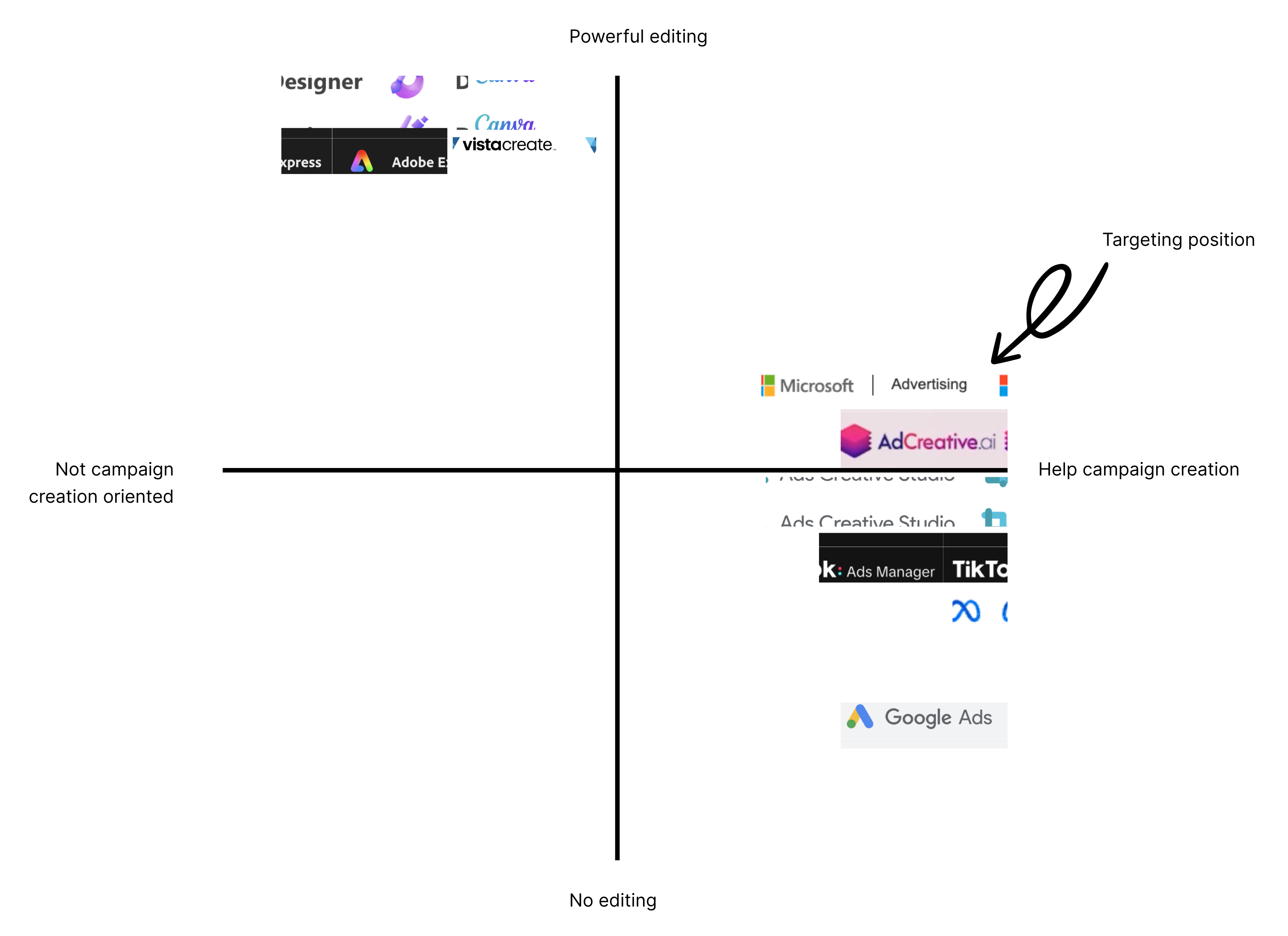
Advertisers told us they already have the images they need and aren’t looking for help generating new ones. Their biggest challenge is refining and adapting those assets for ads. One participant described the core pain clearly: “I have the images, but making them fit all the sizes is the hard part.” Their workflows centered on improving what they already had and were actually very receptive to the idea of AI assisted editing. These are the tasks they’d love AI to help with most:
- Adapt assets for context: brand, audience, season, and surface
- Adapt assets for placements and sizes
- Automatically “smart crop” their assets for all of Microsoft’s many ad sizes
- Replace the background of an image to reuse it for different scenarios
- Move objects to accommodate a gradient in the ad covering the subject
- Suggestions for minor changes to appeal to specific audiences
- Improve quality for ad performance — “what can I change to get more people to click on my ad?”
I tried generating images using Copilot and it does ok but doesn’t let you edit it. If you try to edit something minor it regenerates a whole new image.
— participant in studyreplacing backgrounds
I was surprised by how important this feature is to advertisers, but replacing the background of an image is a staple for reusing assets to prevent ad fatigue or make them more relevant for specific scenarios. Participants absolutely loved the idea of placing a product in realistic settings to make more use of that same asset.
03background removal
Before the full system redesign, I shipped a lightweight background‑removal feature inside the campaign‑creation flow. There was a push within my org to showcase the new tech we had, and the user feedback I got showed that background removal was the most universal of their needs, especially for product ads. The editing framework we had made it really difficult to support direct integration so I focused on a quick, inline flow for campaign creation.
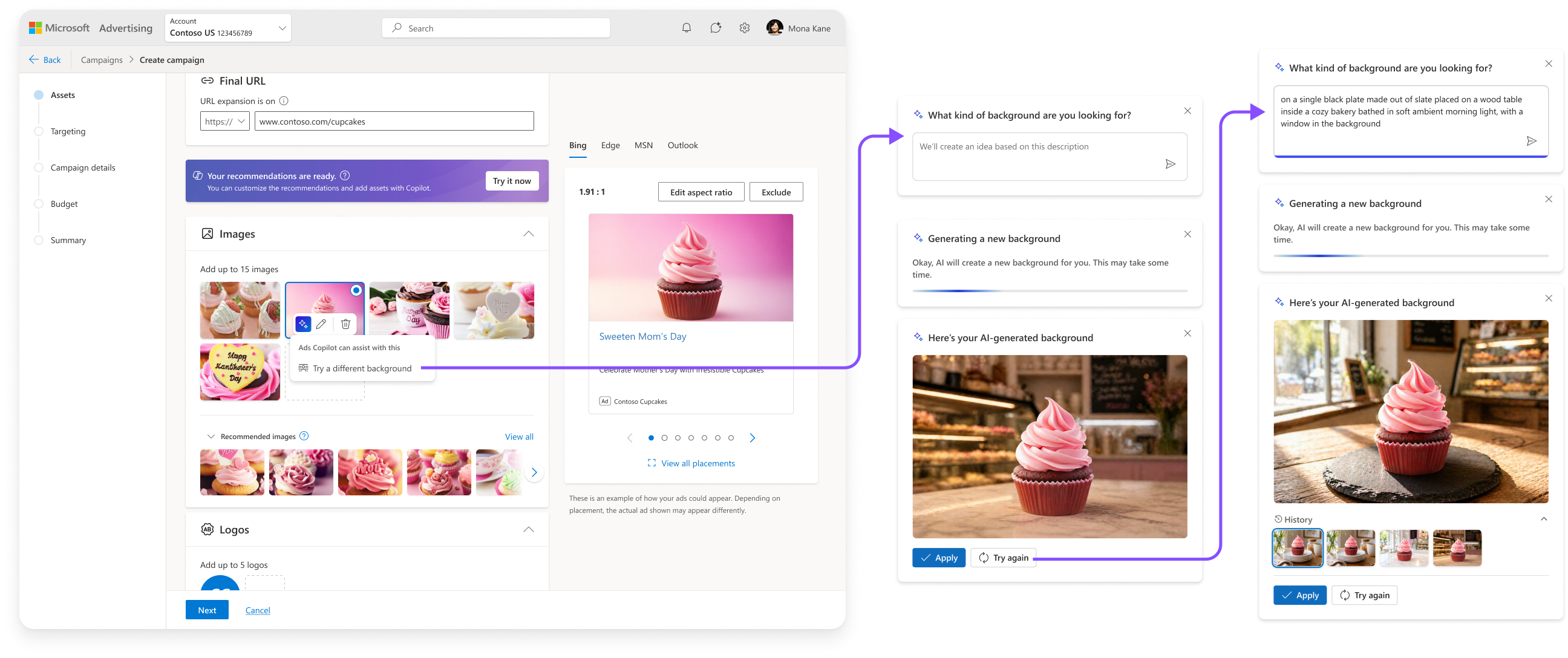
simple flow for MVP
The initial MVP was extremely simple so that we could pilot the functionality in order to collect the data that engineering needed to strengthen the algo. Meanwhile I worked on iterating through different models for the AI interaction. As expected, early testing showed that users were struggling with what to put into the prompt, so I iterated through options for prompt starters and contextual suggestions.
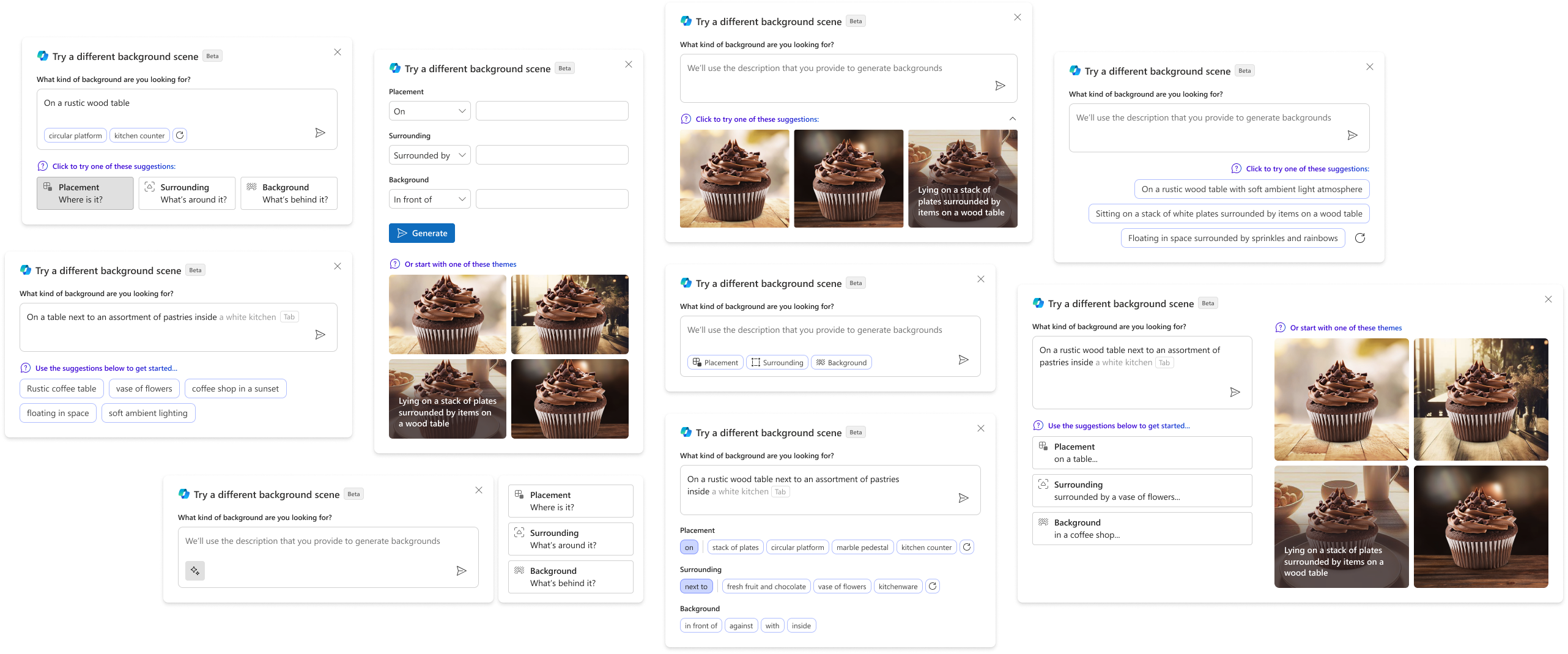
incorporating parameters into prompt starters
Meanwhile engineering was struggling to produce high quality outputs and was pushing for separate inputs for the parameters they needed, including placement, surrounding, background, aperture, lighting, etc. I didn’t want to over-complicate the workflow with overwhelming inputs, so I ended up A/B testing two models for incorporating these parameters.
prototype A
Participants preferred this version almost unanimously
- Participants found the prompt tags useful for understanding how the prompts work, inspiration, and writing the prompt
- Prompt starters on the right were also useful for understanding
- Seems more simple and less steps/clicks involved
prototype B
- Participants again liked the prompt bubbles for inspiration
- Splitting the parameters seemed like too many steps
- Separating the prompt suggestion tags into groups can help to understand need for each type, and promote more parameter types
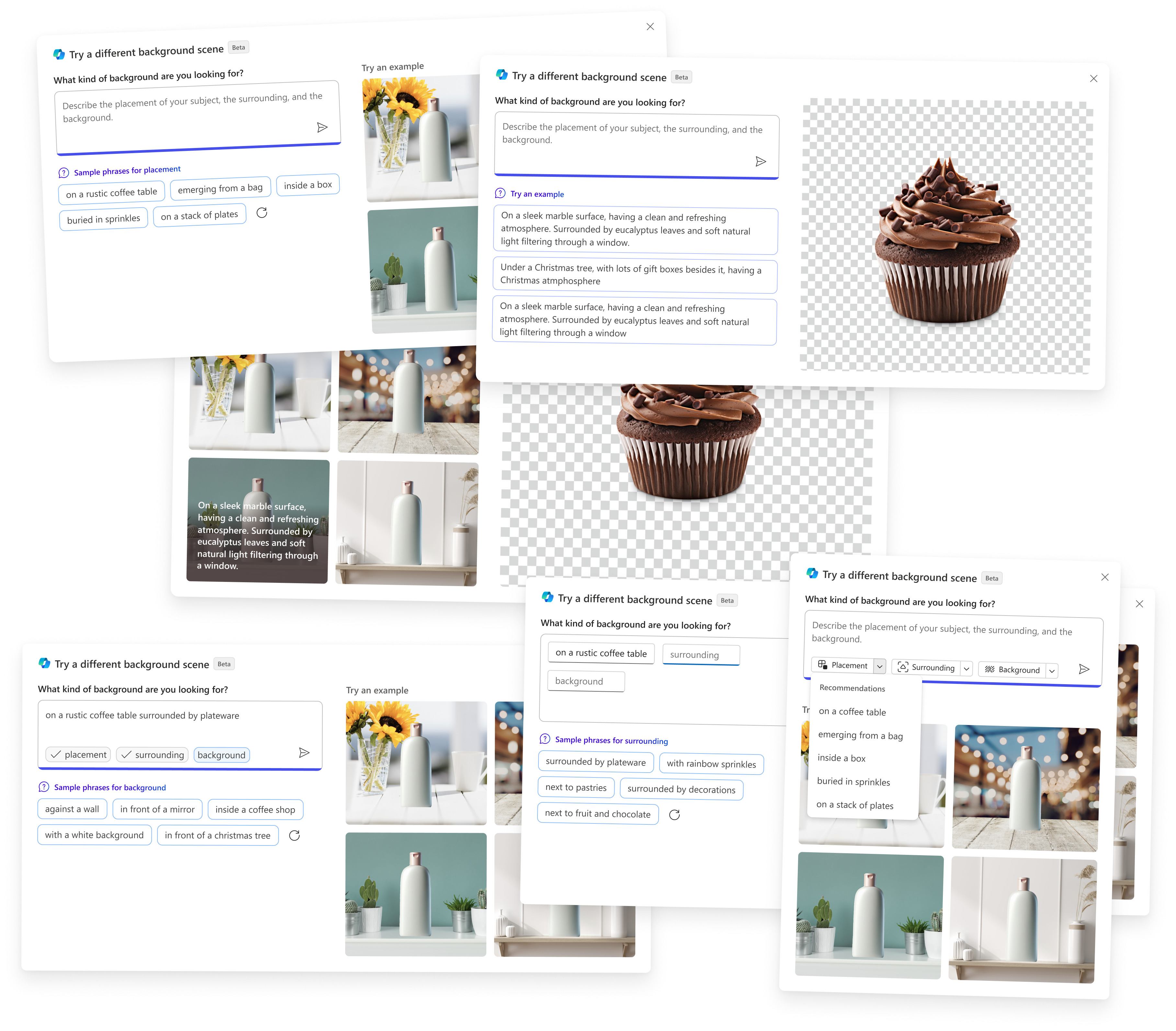
iterations for AI-gen backgrounds
Engineering roadblocks, large latency, and the PM team’s evolving requirements shaped the next few design iterations. The initial concept for the prompt starters used the original image as a reference for previewing the output for each prompt, but latency for generating these initial suggestions was so large that we had to use more generic previews. Discussing tradeoffs for different prompt starters, while also adding the ability to modify the subject area of the image, I landed on a solution for the MVP that was intended to be fast and simple.
Final inline flow for Pilot MVP
04new framework for editing
Working on lightweight background removal exposed just how fragmented editing across Microsoft Advertising was. We ended up shipping the dialog version of background removal because the side panel that I designed couldn’t fit into the existing architecture in a way that made sense.
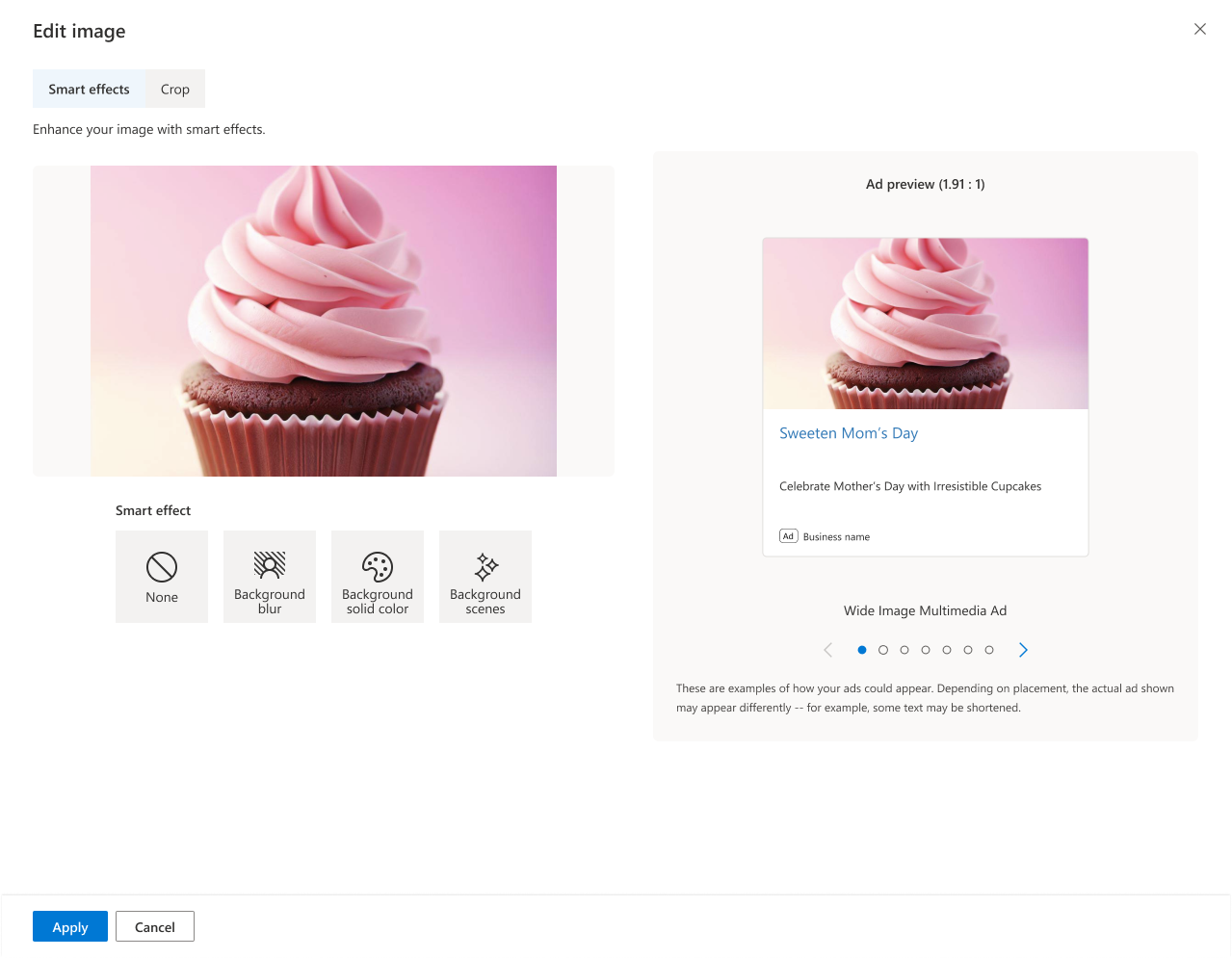
existing UX for editing images
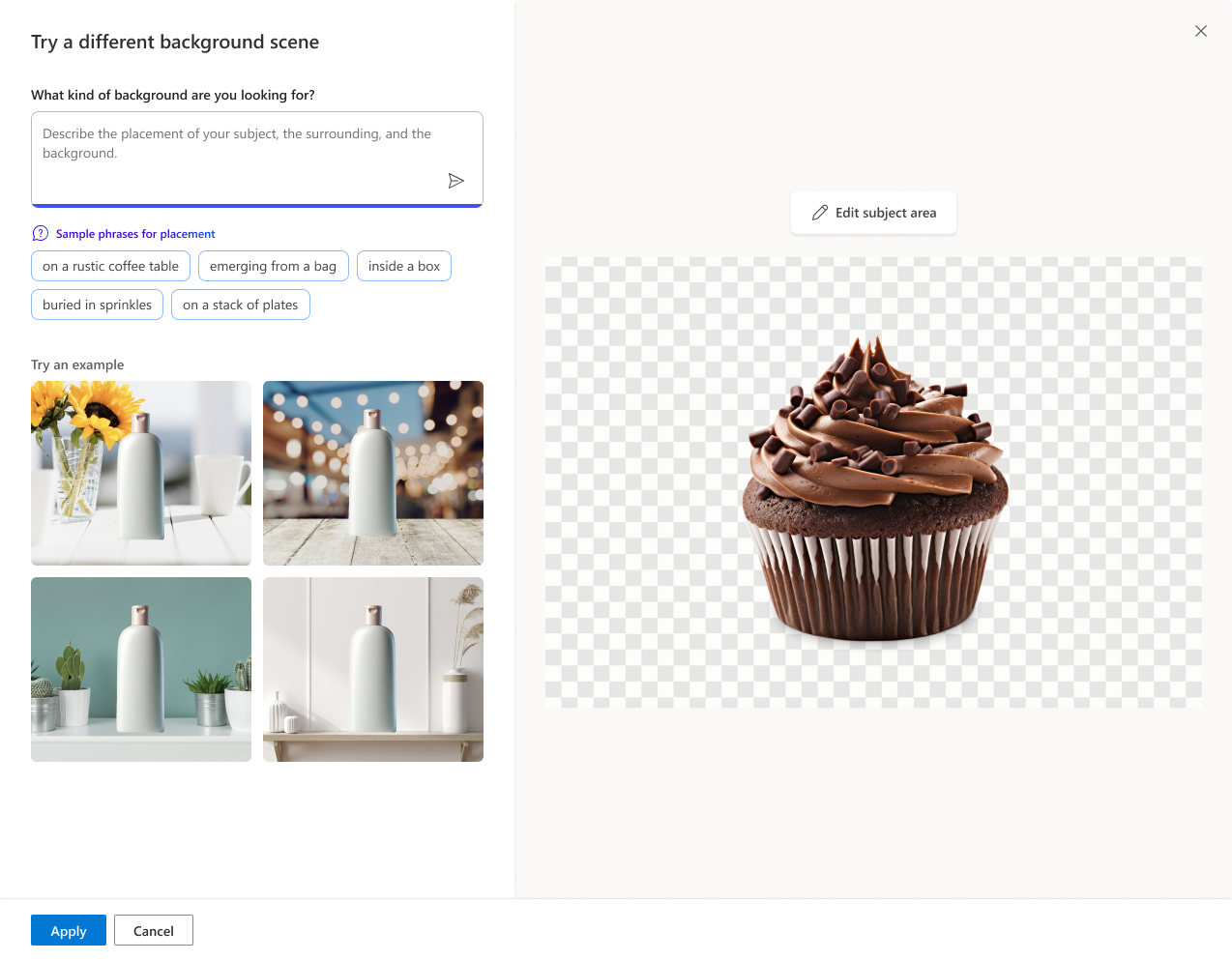
separate background UX
from mvp to mlp
- The MVP was intended to be a streamlined UX, not for intensive editing
- Intentionally a linear flow for MVP, but users want to explore options
- Limited features: we want to add the ability to move/scale subject
- Limited prompt parameters
- Only one output at a time
- Separate from the rest of editing
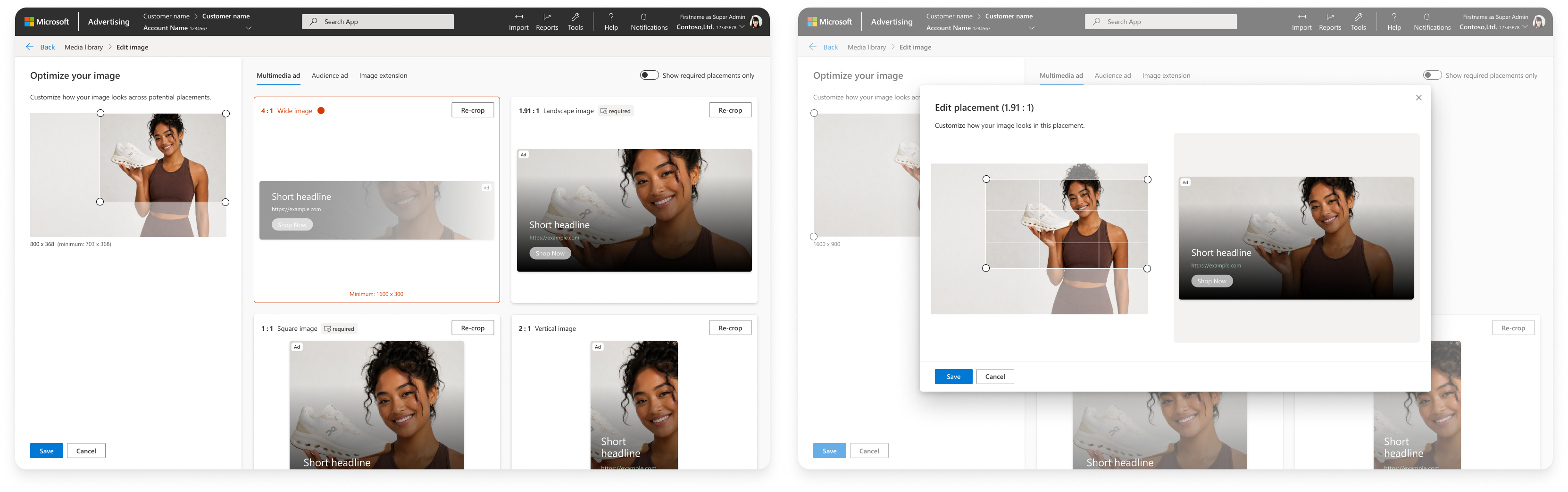
original asset library
As I worked on the architecture for Ads Studio (replacing Asset Library), I provided creative direction for a contractor working on the initial framework for editing within Ads Studio. While Asset Library was optimized to accommodate bulk crop scenarios, Ads Studio needed to be a creative hub. We started by setting some principles for what Ads Studio was intended to do.
quality
Address issues like poor lighting or cropping of certain ratios so ads look appealing
relevancy
Assets should match the goals that advertisers have for the campaign they’re using them in
personalization
Create assets that match target audiences for advertisers’ goals, for a custom fit
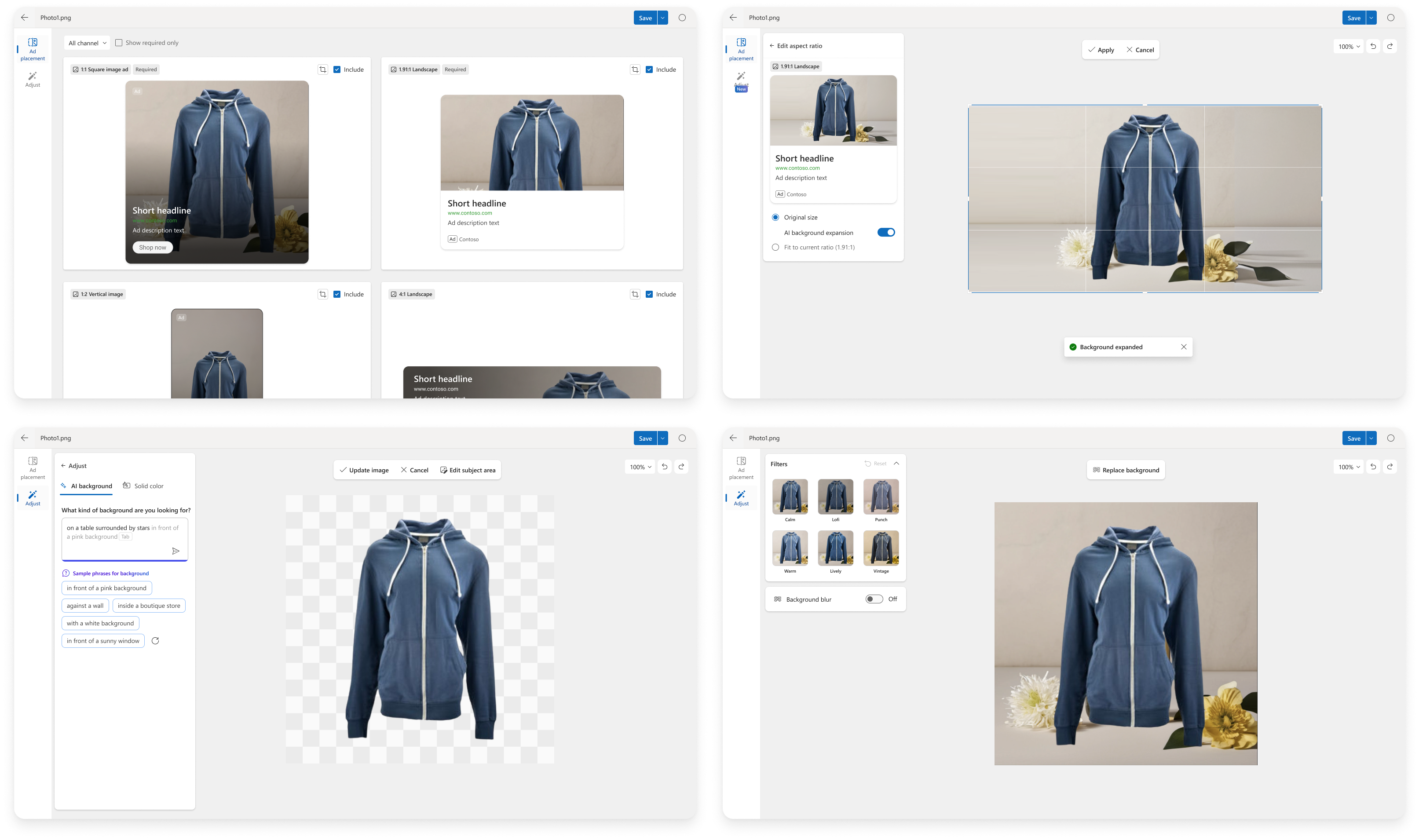
Initial editing UX for Ads Studio
new UI model
We defined a new structure for editing an image that separated ad-specific adjustments from editing the image overall and used contextual panels for different editing tasks. The first version of Ads Studio had to scope back the features quite a bit in order to ship, but we could build incrementally onto this framework.
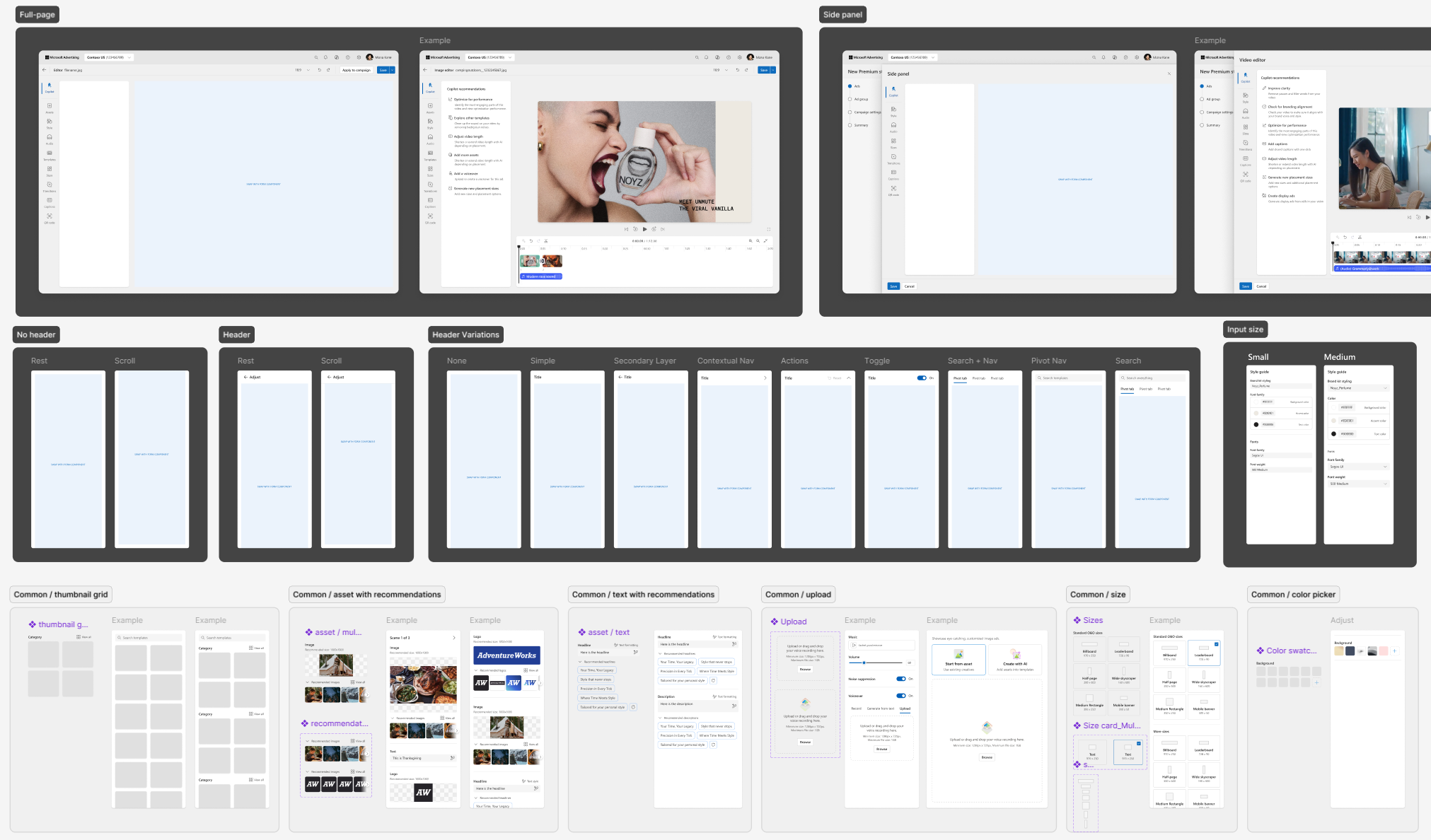
framework & components for editing
standardized components
Part of the visual refresh I did, as we moved from Microsoft’s Fluent 1 to Fluent 2 design system, was standardize the components and create rules for consistency. I saw designers using the “secondary” style inputs in panes while others used “outline” or “filled.” There wasn’t really logic for when to use drop shadows or strokes, or when to use which style button or padding separating sections—which resulted in editing components being created in different parts of the UI that looked drastically different. I defined these rules and created a new UI kit for editing flows that designers could easily add from.
05final designs
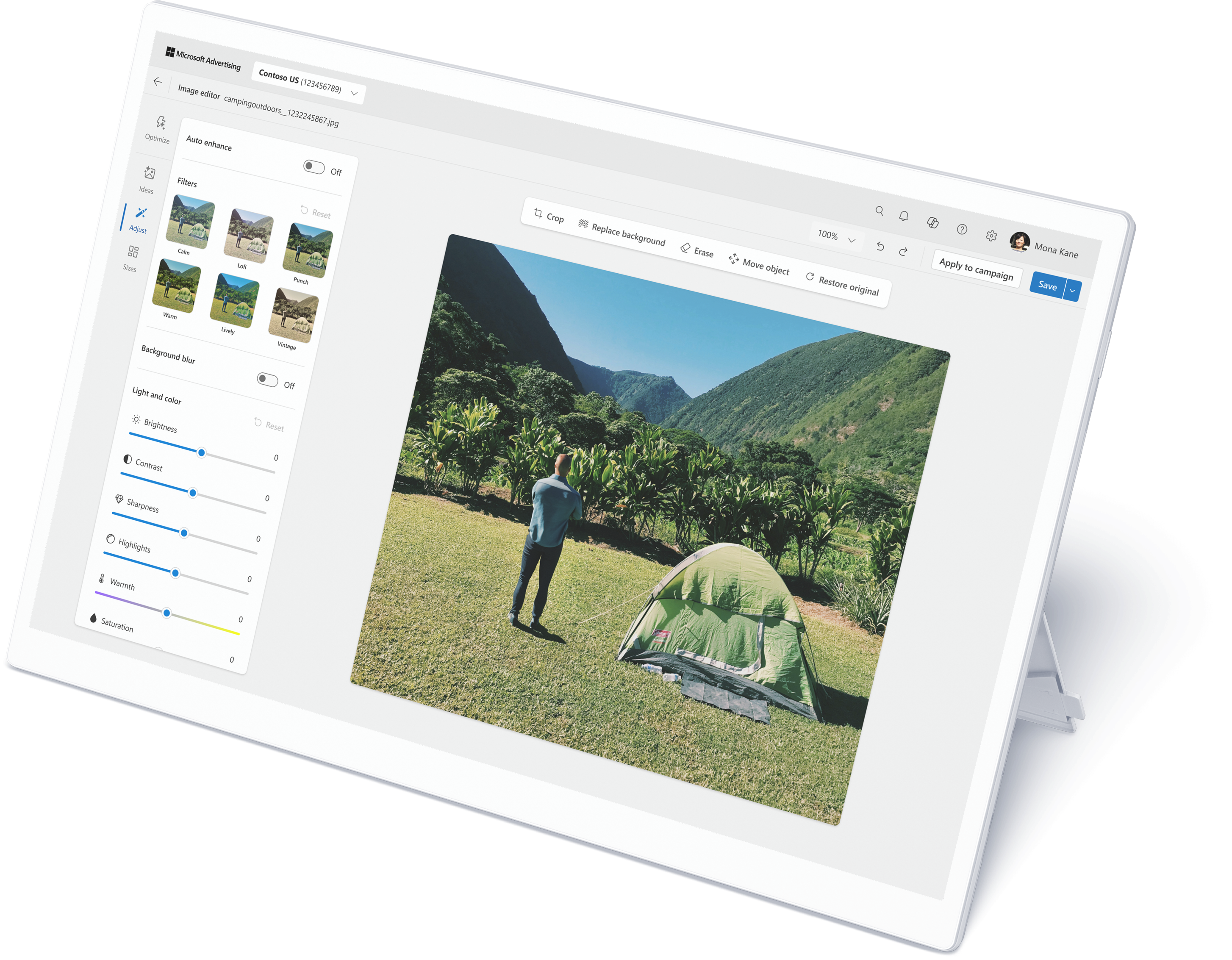
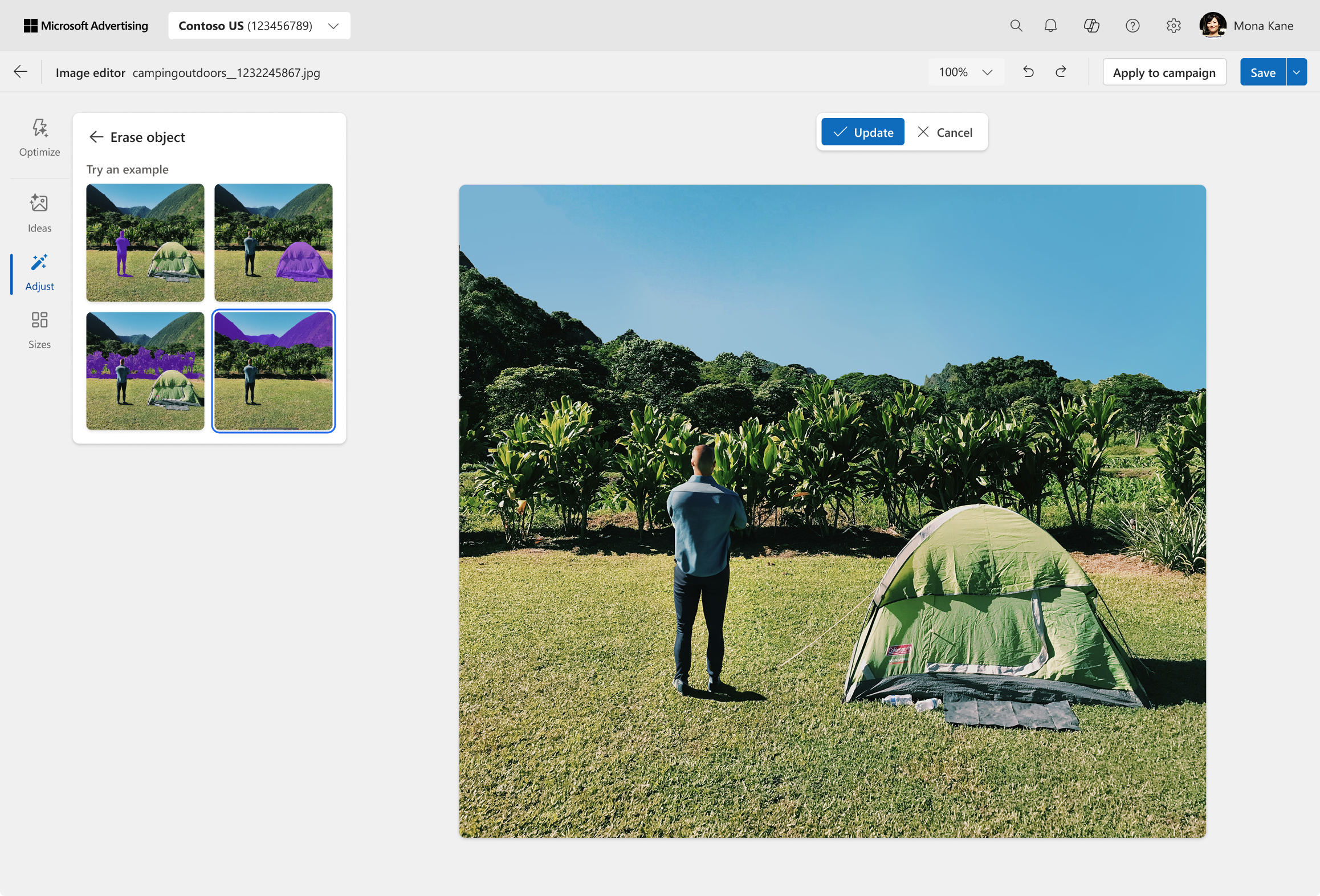
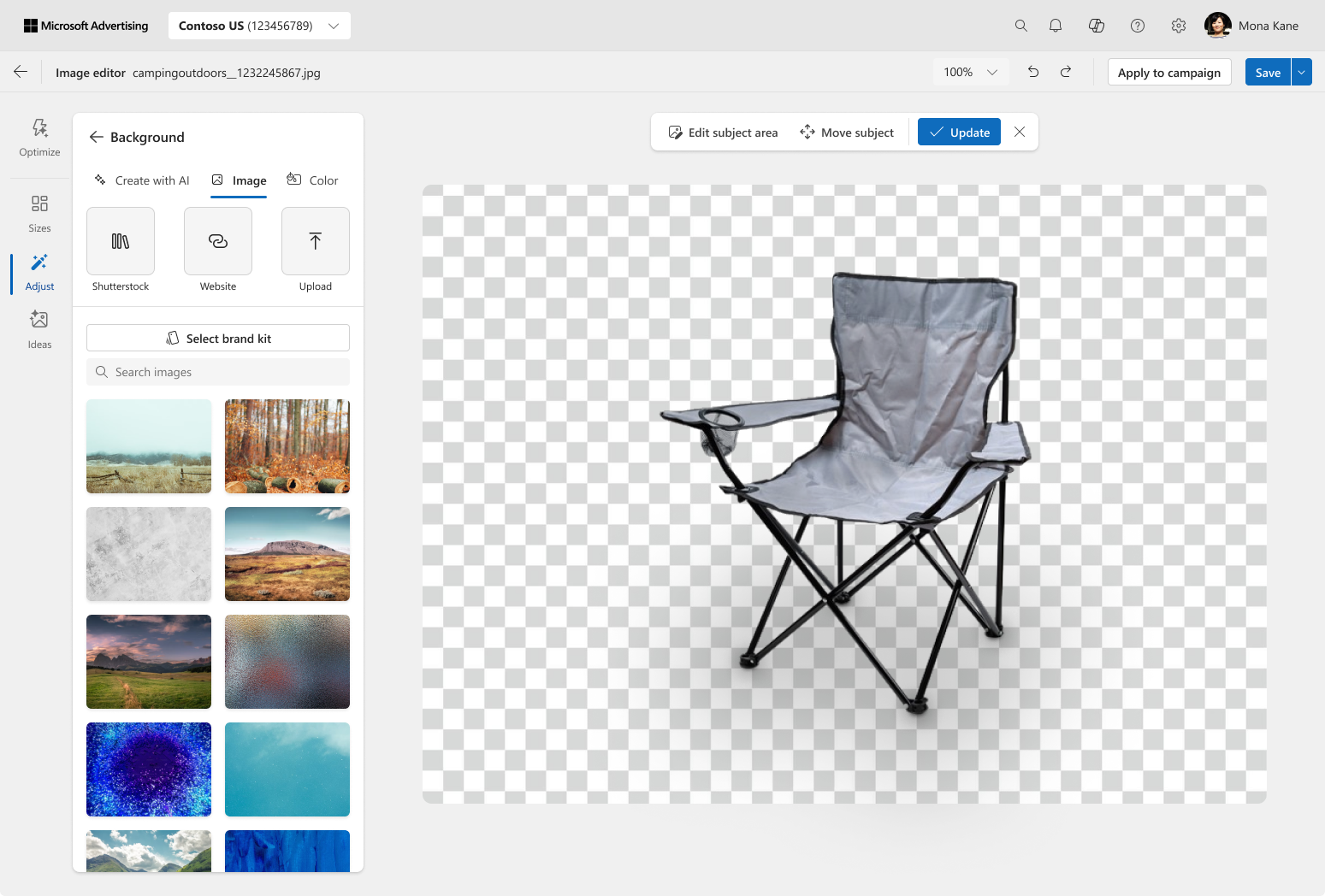
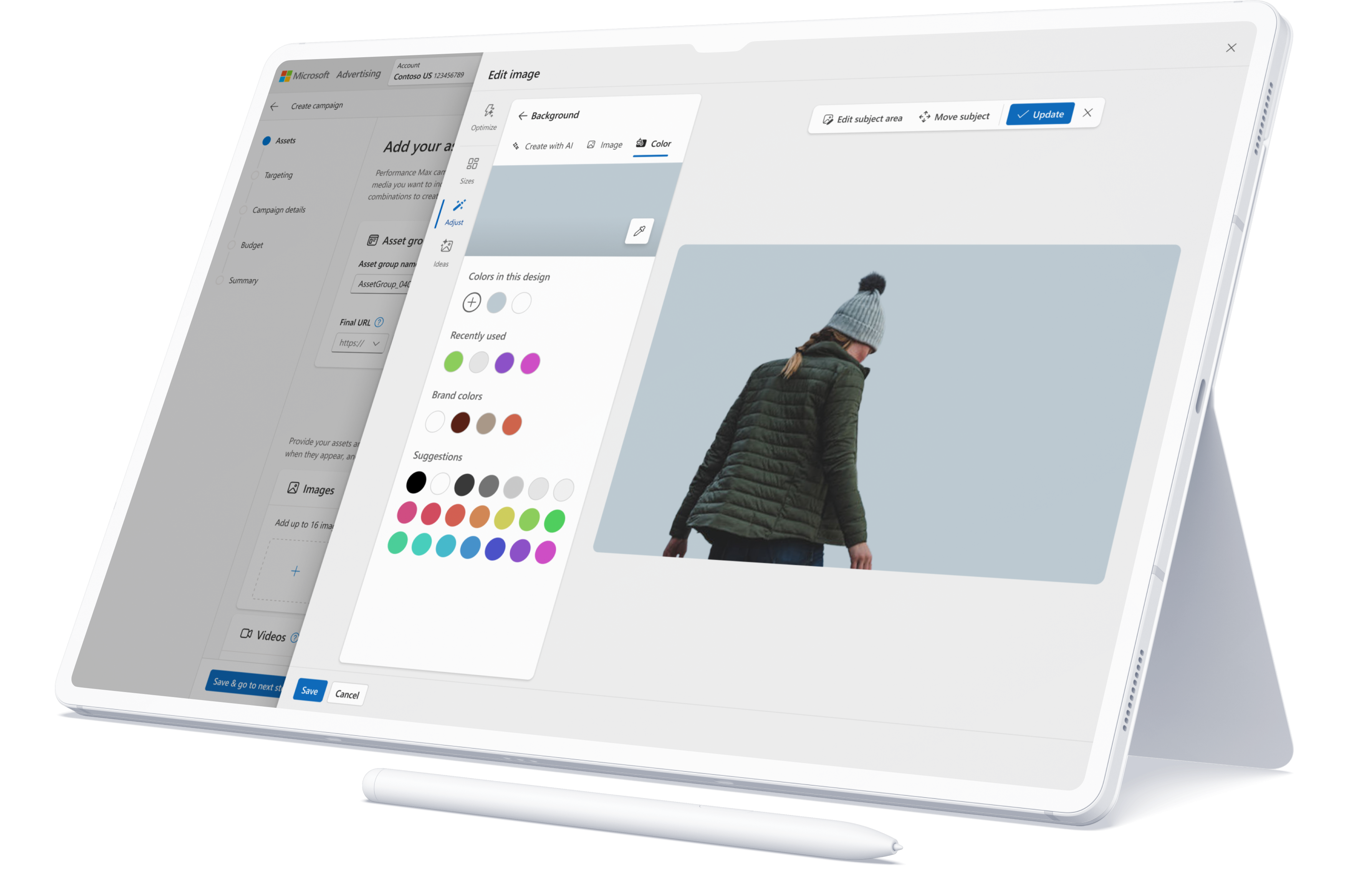
After shipping the first version of editing in Ads Studio, I worked on adding the additional features that advertisers find helpful to edit their assets, so that our users can spend less time going back and forth between Canva/Photoshop and the ad platform in order to ensure their assets are ad-ready.
- Moving and erasing objects
- Enhanced background replacement with AI, existing image, or flat color
- Provide inspiration with AI-generated variations
- Auto-expand and auto-enhance images to fit more placements
- Campaign creation workflows that bring contextual previews and one-click adjustments to fix common problems
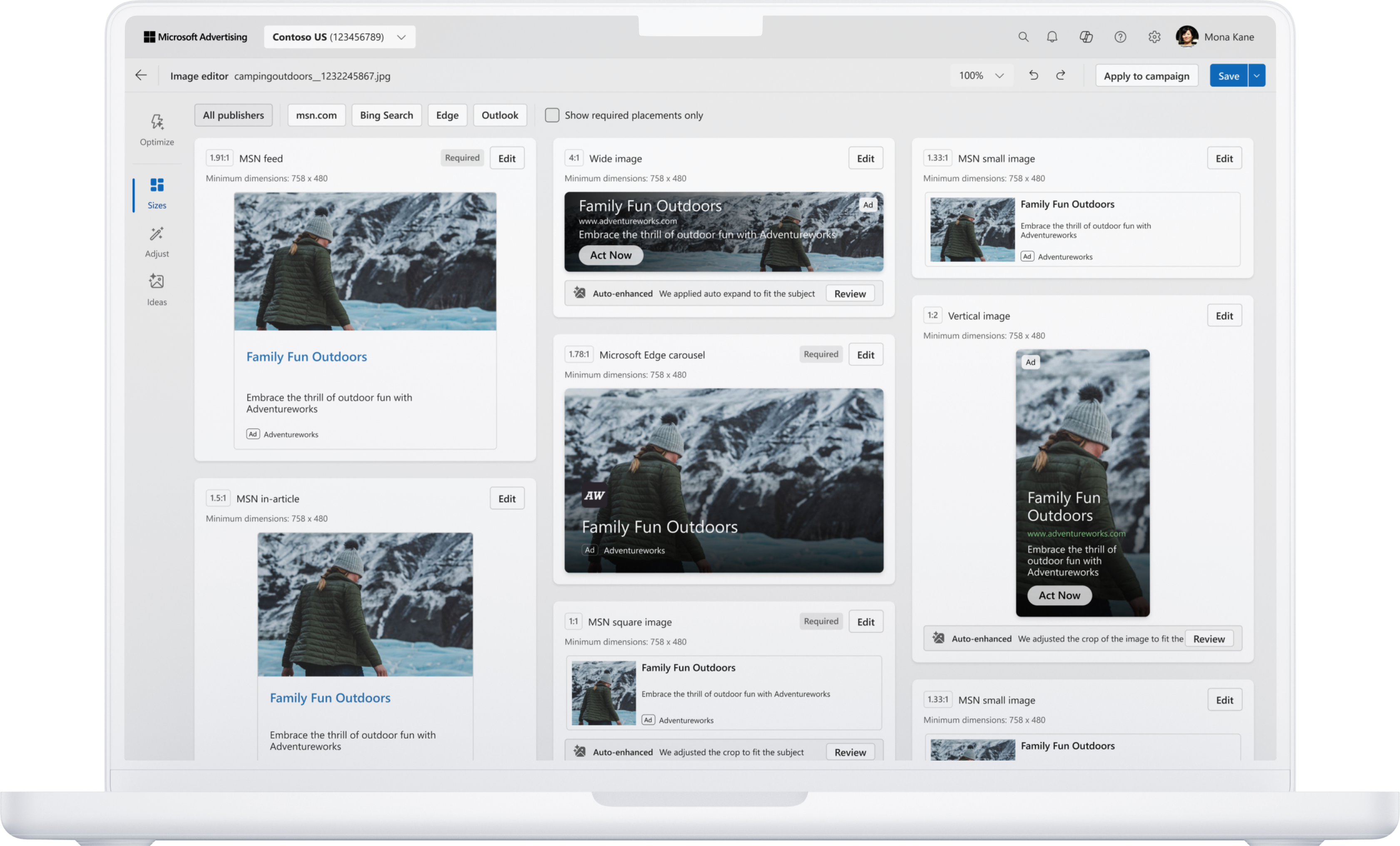
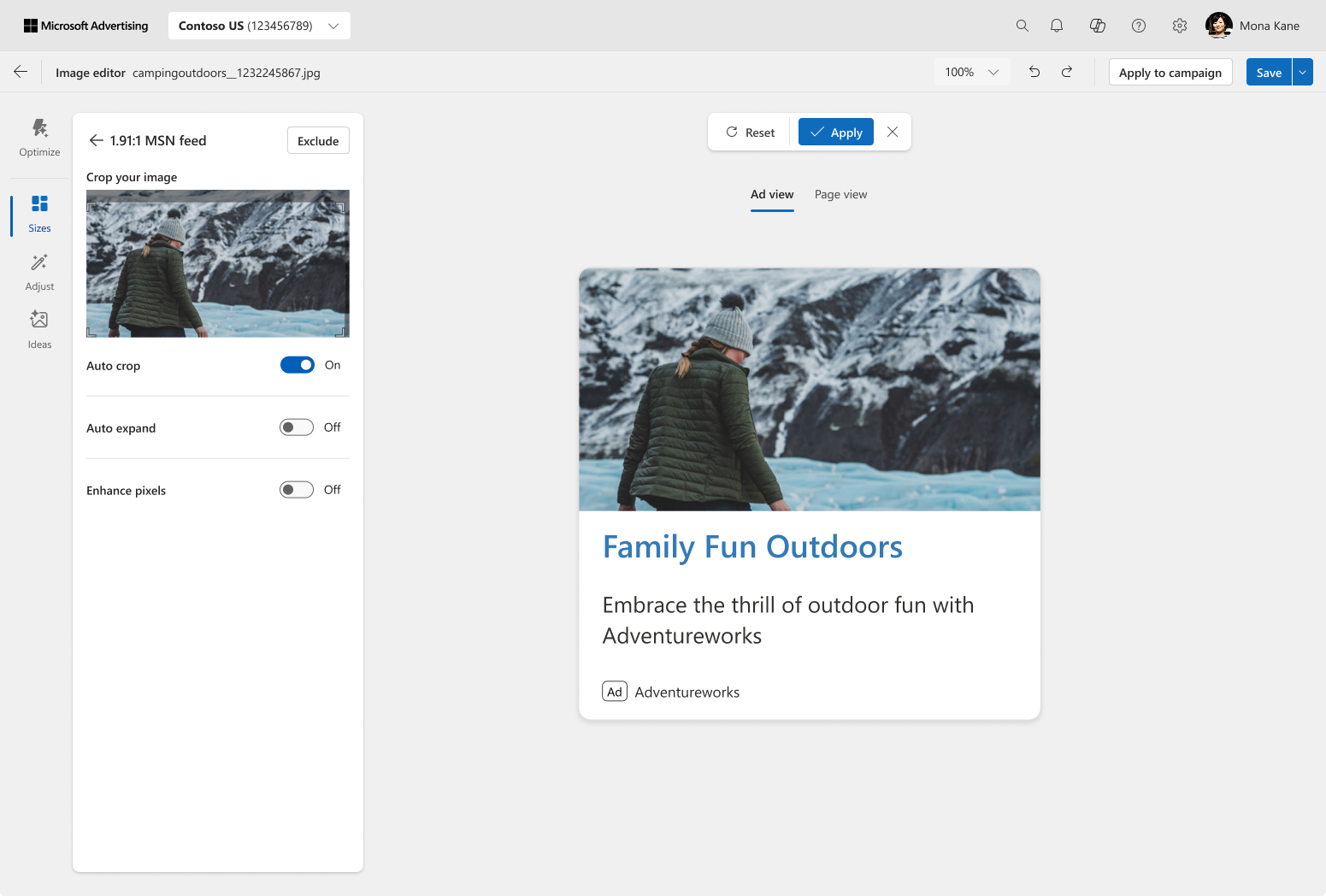
adjusting individual placement
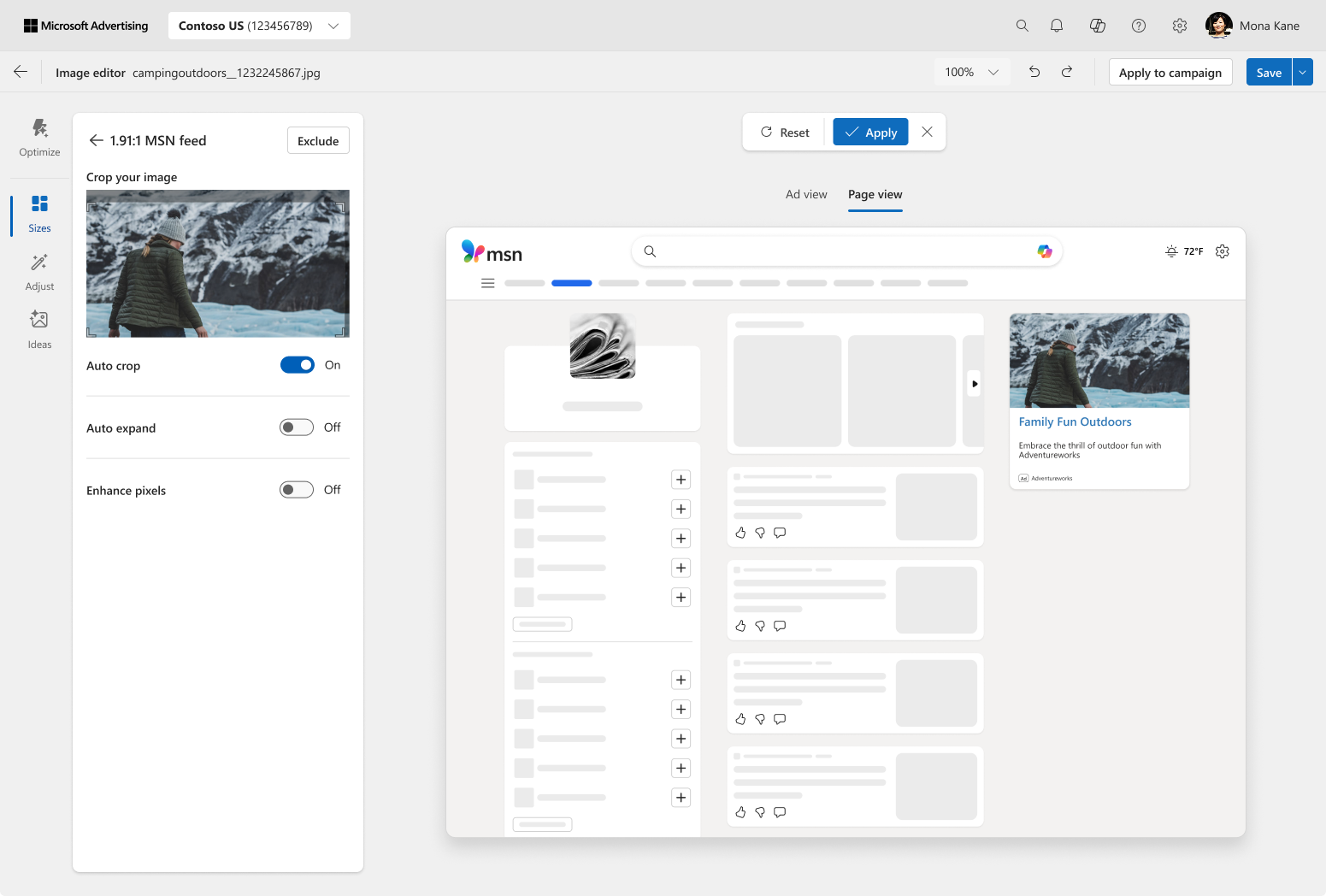
contextual preview
erasing elements
moving a subject

AI-generated backgrounds
replace background with own image
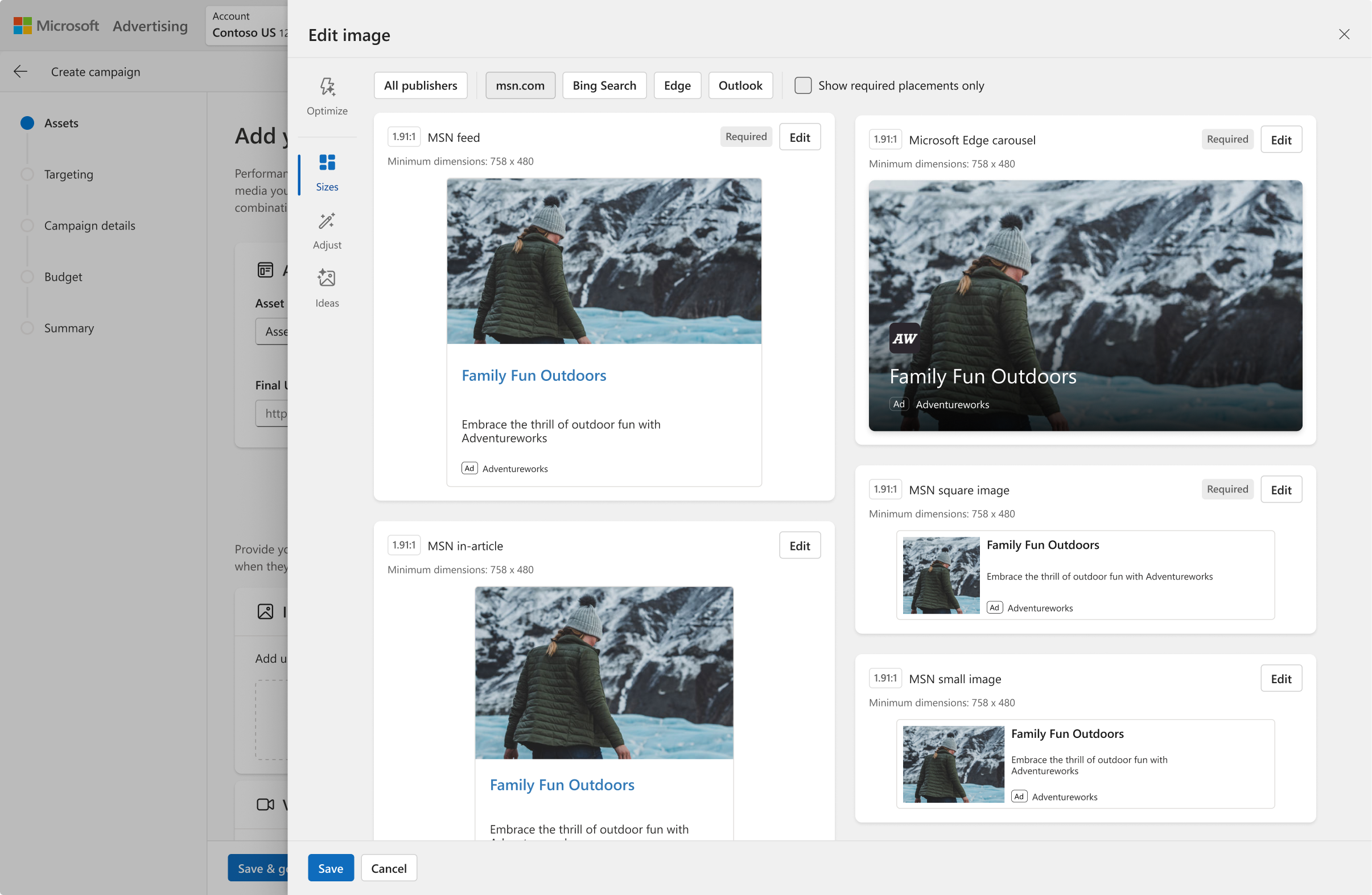
Editing in campaign (Sizes)
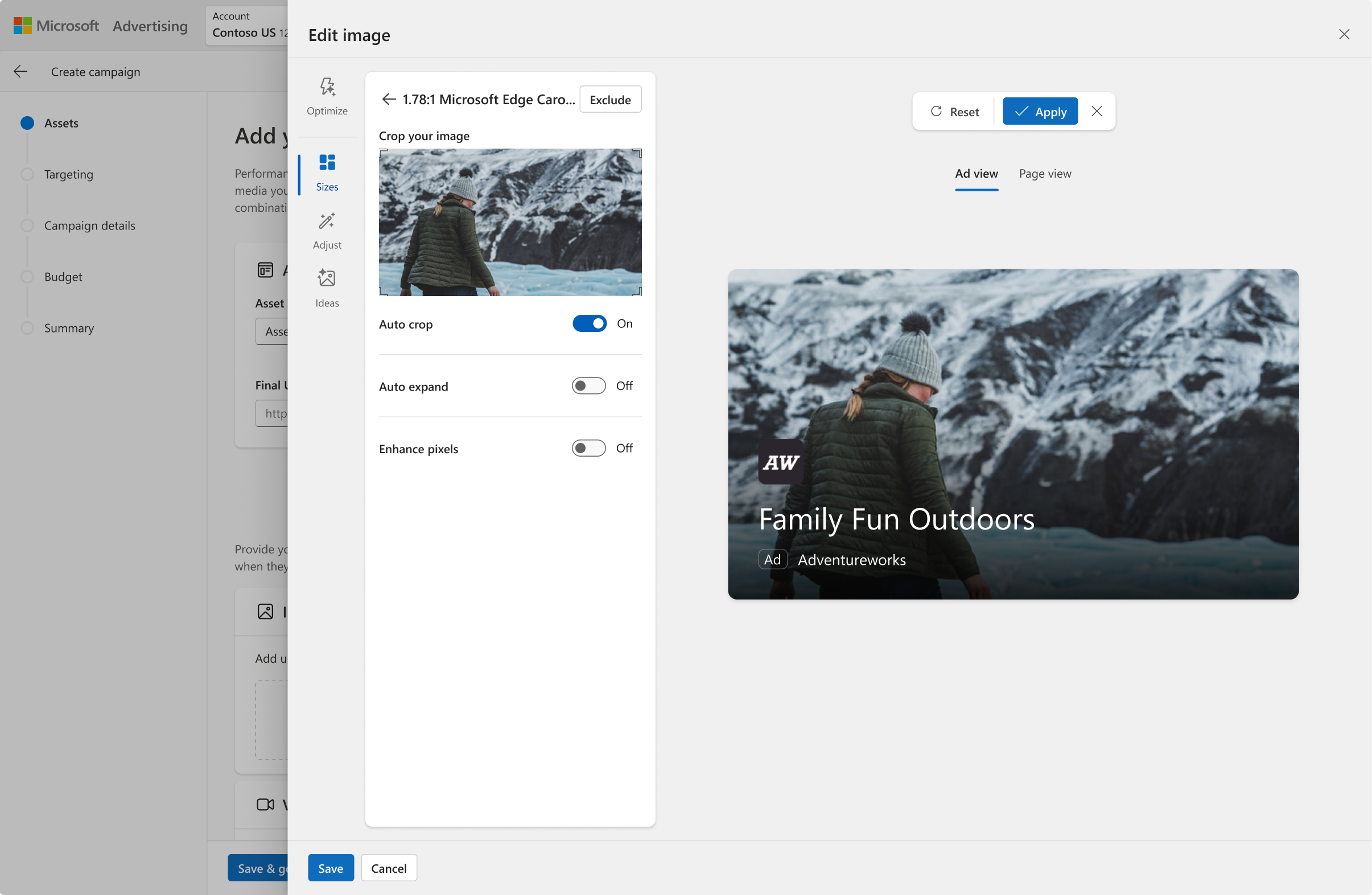
Editing a single ad in campaign
next steps: iterative editing
After we launched this framework for editing, the constantly evolving technology for AI opened the door for iterating on an output. I have a separate case study on how I expanded on this framework to make AI-gen even better.
06Outcome
The redesign fundamentally shifted Ads Studio from a fragmented set of editing tools into a unified, scalable system that supports what advertisers actually need within an ad platform. By prioritizing editing over generating new content, we directly addressed the core workflow gaps surfaced in research and unlocked new value across the product.
AI-gen Backgrounds
Saved assets (YoY)
CTR seasonal ads
user impact
- Advertisers can rely less on external tools—they no longer need to bounce between Canva/PS and Ads Studio to make simple adjustments for their ads
- Significant time savings—placement‑aware previews and auto‑adapting assets for ads replaces monotonous tasks, especially during seasonal pushes
- Advertisers can do a lot more with less by reusing assets they already have rather than having to create new ones
- Improvement in engagement metrics suggest higher trust in the editor
Number of saved assets applied to ads increased from 0% → 19.4% for images with AI-gen backgrounds.
business impact
- Microsoft now has a unified system for editing creatives to ensure consistency across the entire ads ecosystem
- Ability to scale—new features can be designed and developed a lot faster
- Multiple code paths were replaced to reduce maintenance overhead
- Improved asset quality + asset volume→better performing ads→more ad spend
what i’m most proud of
I clarified the product’s value proposition & aligned teams around advertiser‑first workflows, so that we invested in areas that would move real metrics for advertiser outcomes and platform revenue — higher save rates, better asset quality, more ads served from Ads Studio — instead of throwing spaghetti at the wall, burning engineering cycles on chasing novelty.